Emotional Will
Overview
The Emotional Will feature allows users to share meaningful messages with their loved ones during terminal illness or posthumously. Users can create Text, Audio, or Video Emotional Wills with flexible delivery options and contact management.
This desktop redesign focused on improving usability, accessibility, and visual hierarchy while maintaining the sensitive and respectful nature required for such a personal feature.
Challenge
The existing Emotional Will interface suffered from critical usability issues — poor responsiveness, accessibility gaps, and an aesthetic that failed to honor the gravity of the feature.
The main problems included poor responsiveness and accessibility compliance, making the feature difficult to use for users with varying abilities. The interface wasn't aesthetically appropriate for the emotional weight the feature carries.
Navigation and Focus Issues: Everything appeared in one frame, creating visual clutter that diverted attention from the core process of creating an Emotional Will. The main creation area was too small and hard to access, making the primary user journey unnecessarily complicated.
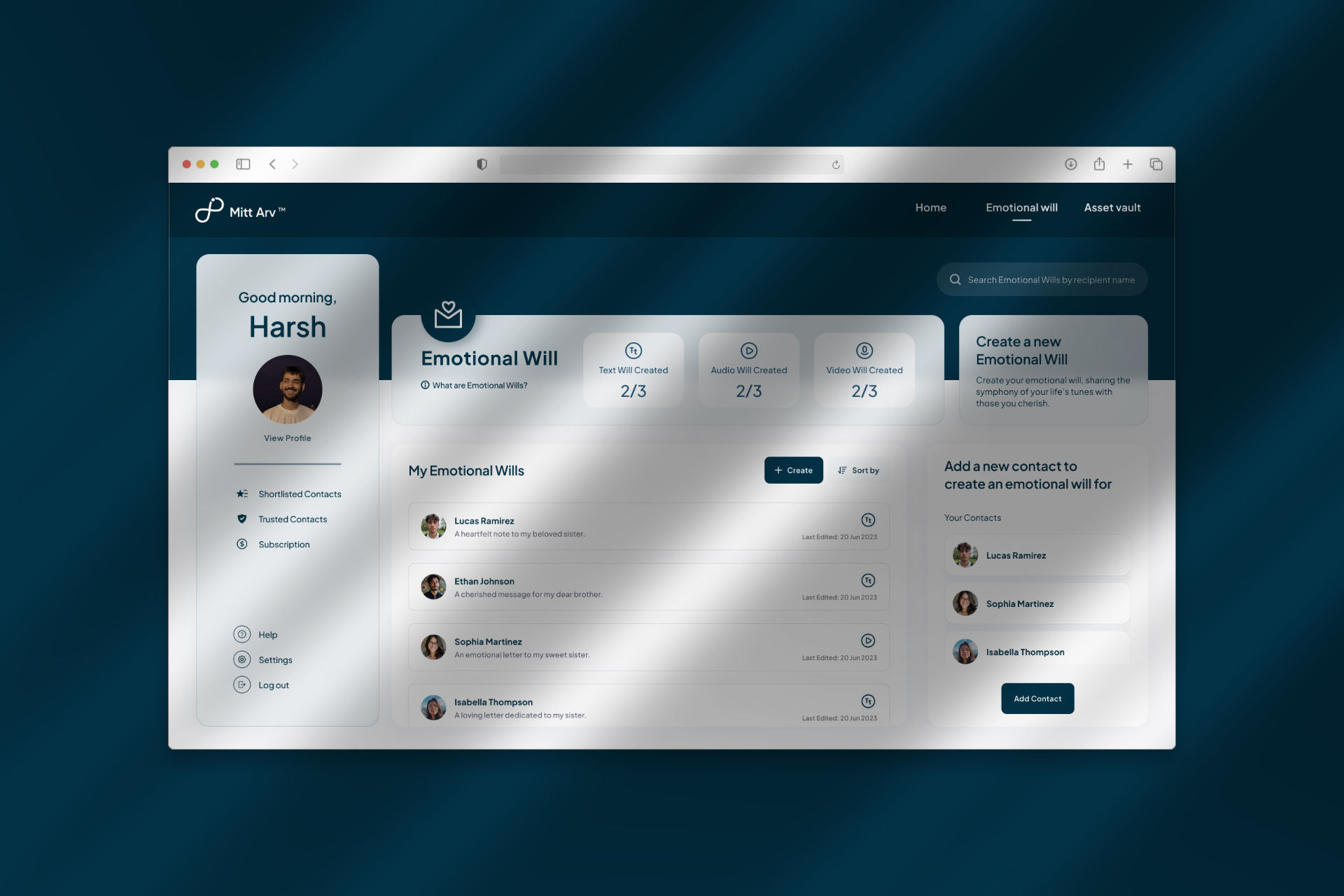
Scalability Problems: The design couldn't adapt to different screen sizes, particularly smaller laptop viewports, creating frustrating experiences.
.jpeg)
Approach
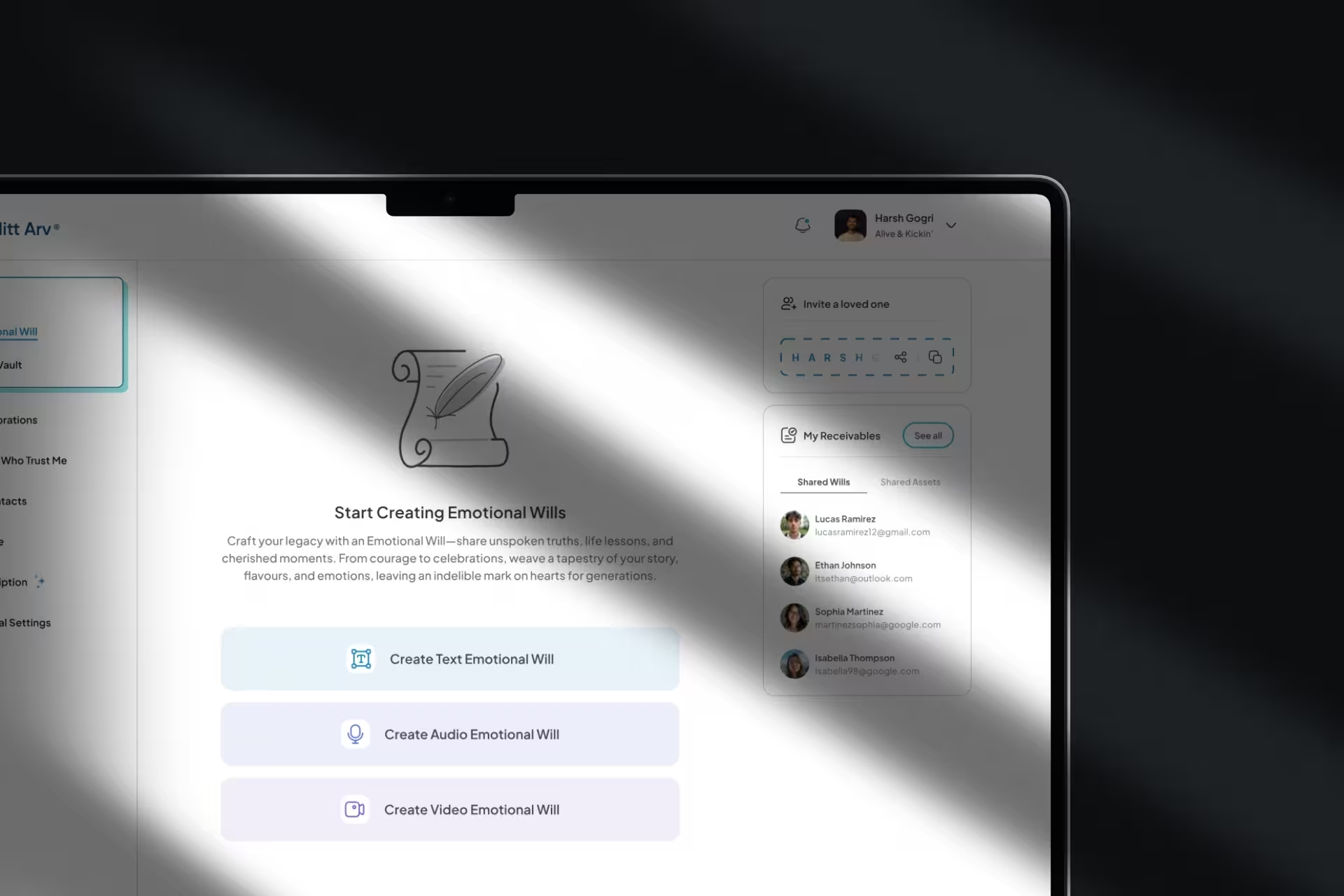
The primary focus was to give maximum attention to the three core actions: Create Text EW, Create Audio EW, and Create Video EW. The solution centered on clear information architecture and a distraction-free user experience.
Strategic Focus: The redesigned main interface prioritizes context and clarity — clearly communicating that Emotional Wills are distinct from legal wills and explaining the feature's purpose through thoughtful copy and relevant illustrations. The three creation CTAs became the visual and functional focal points.
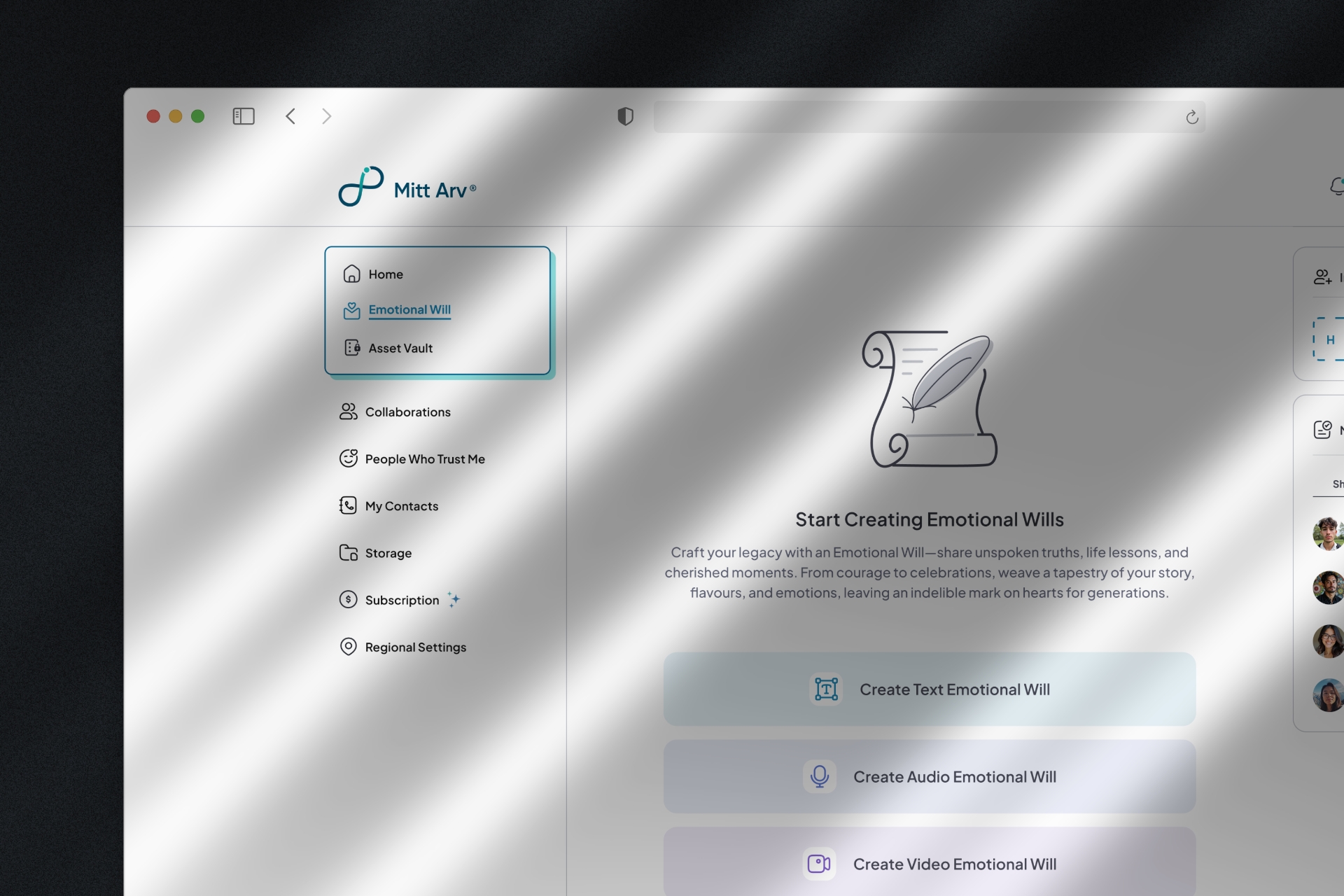
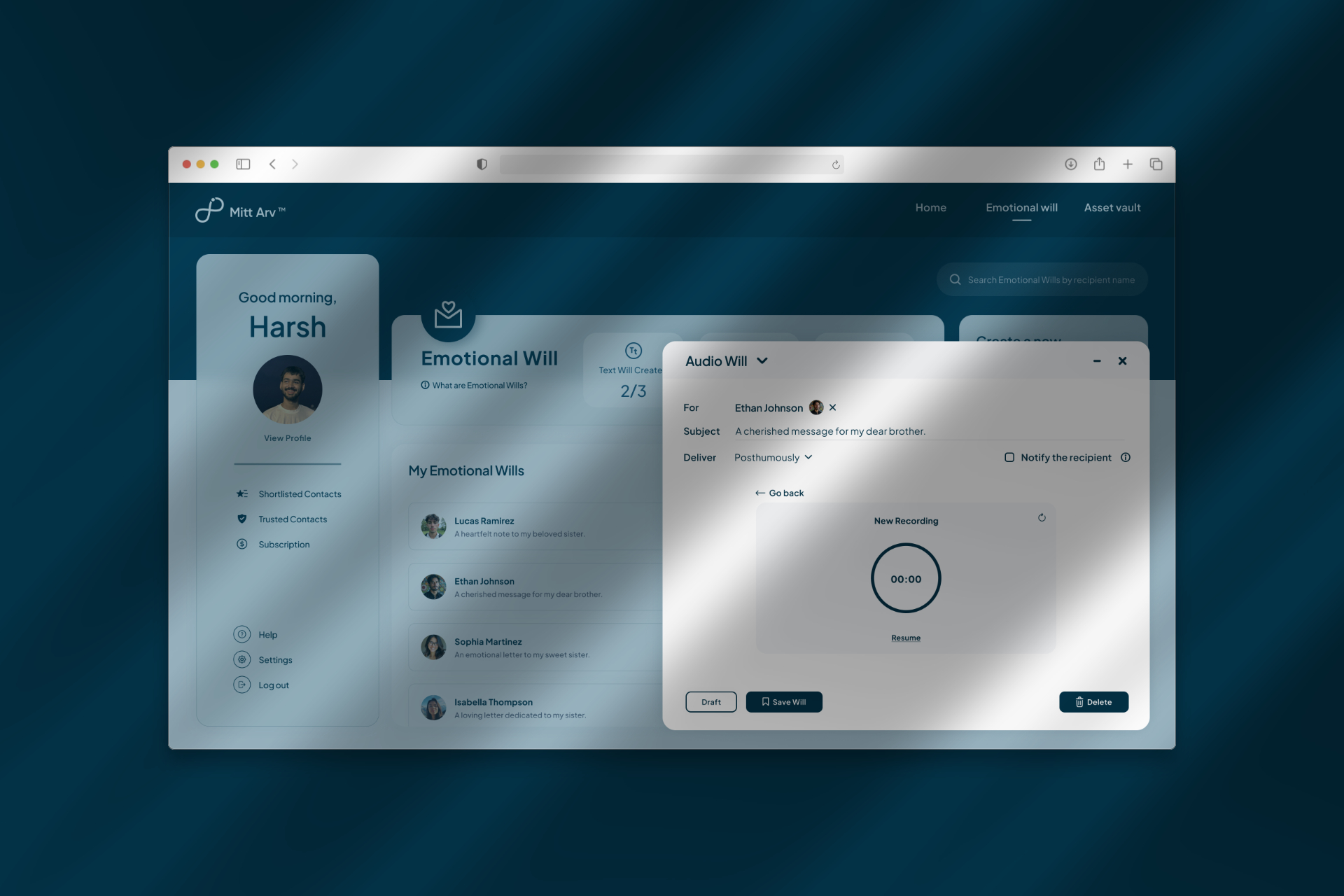
Modal-Based Creation: This approach eliminated distractions by overlaying the creation process above the main interface, allowing users to focus entirely on crafting their emotional messages without competing visual elements.
Unified Flow Design: Initially, a two-step modal approach was explored — delivery settings and contacts in step one, content creation in step two. However, user feedback revealed a critical flaw: users couldn't easily reference their subject line or selected contacts while drafting their message.
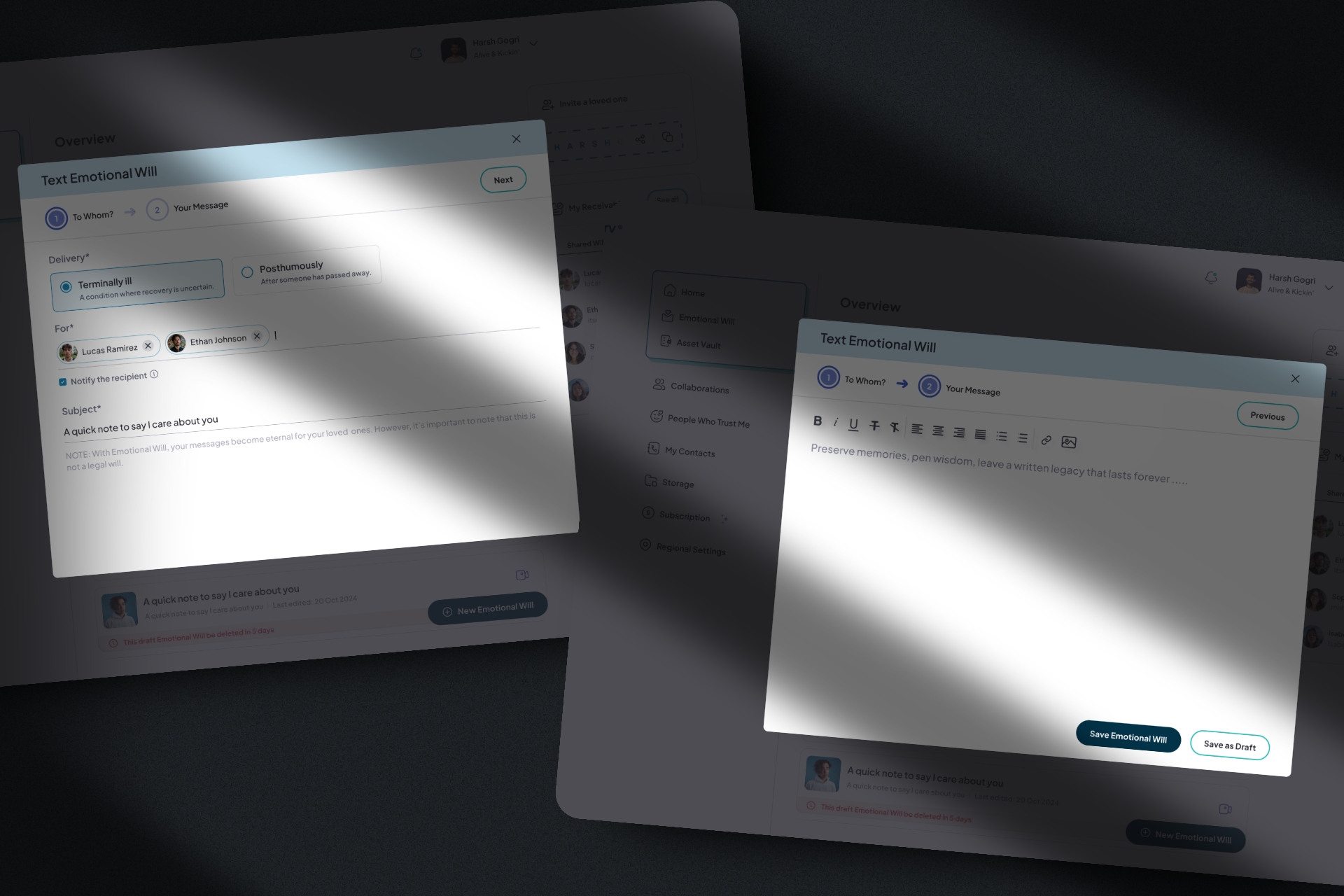
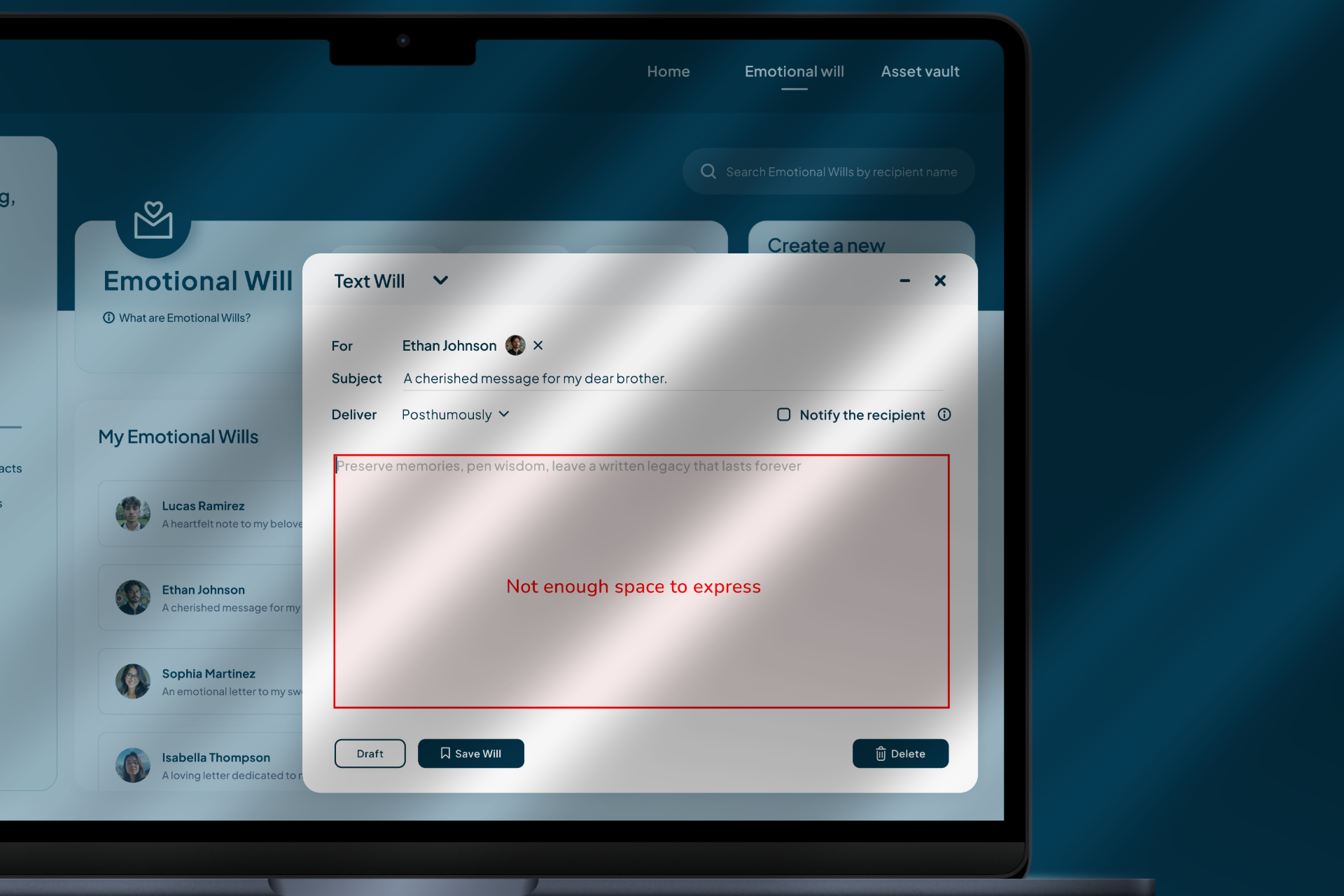
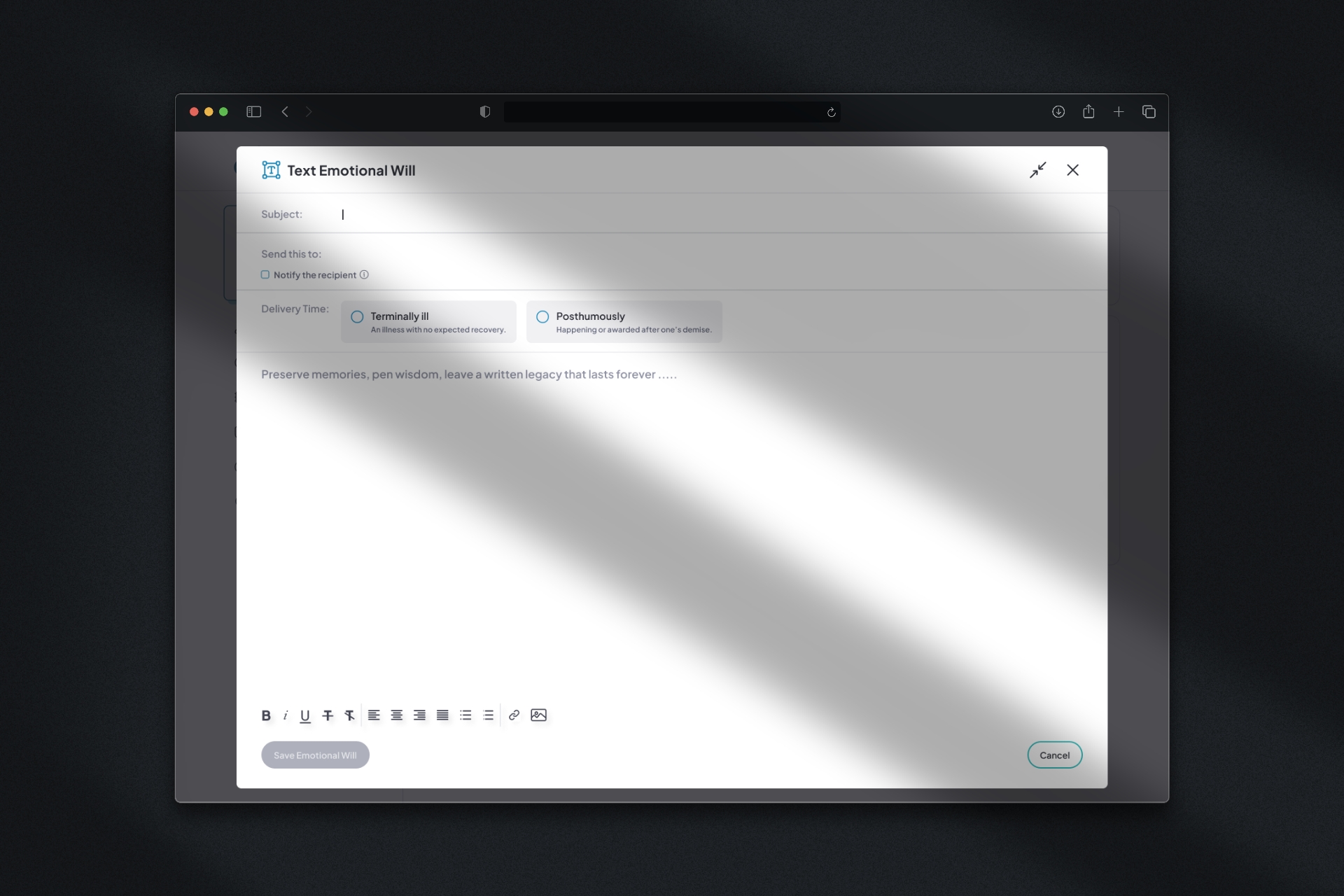
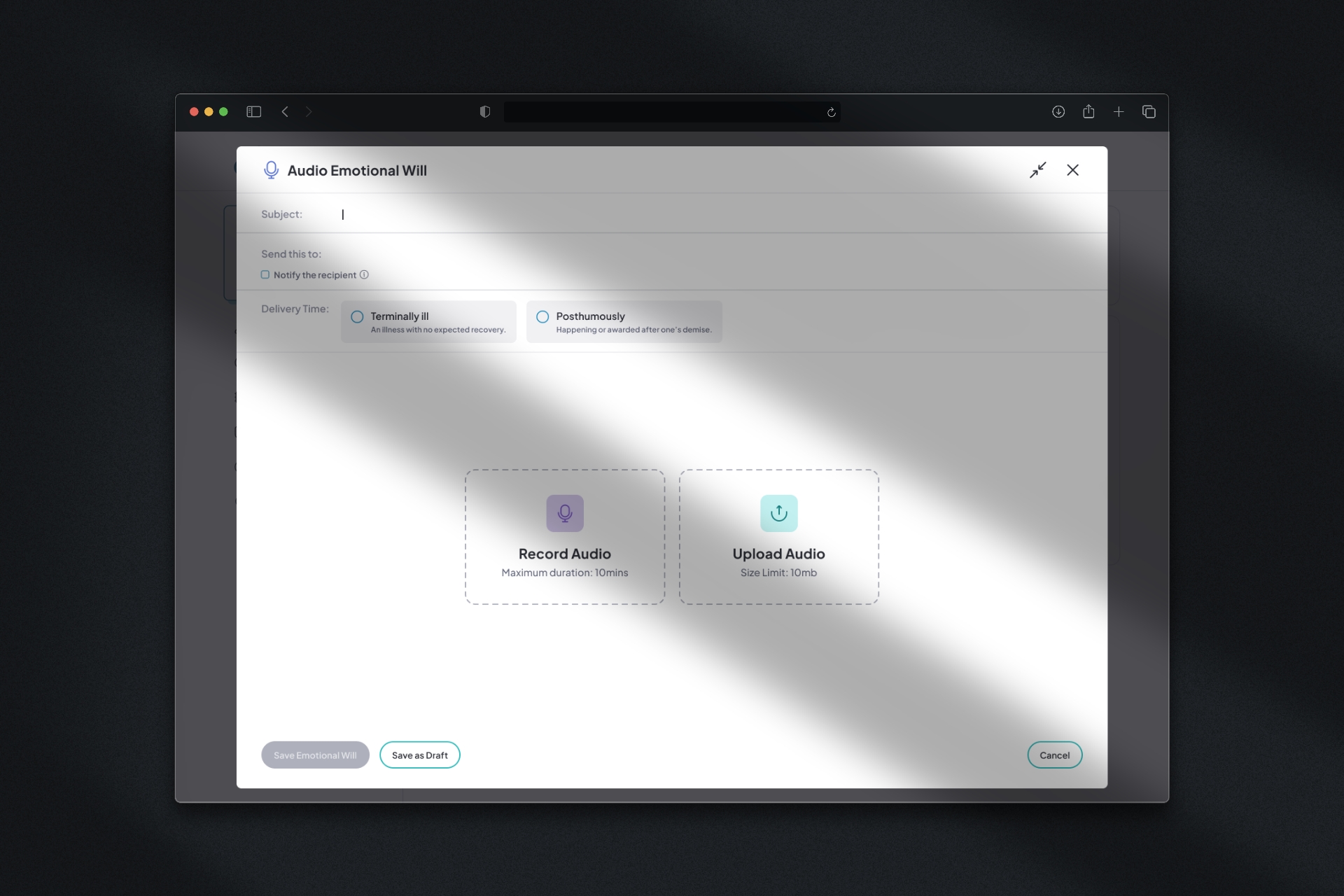
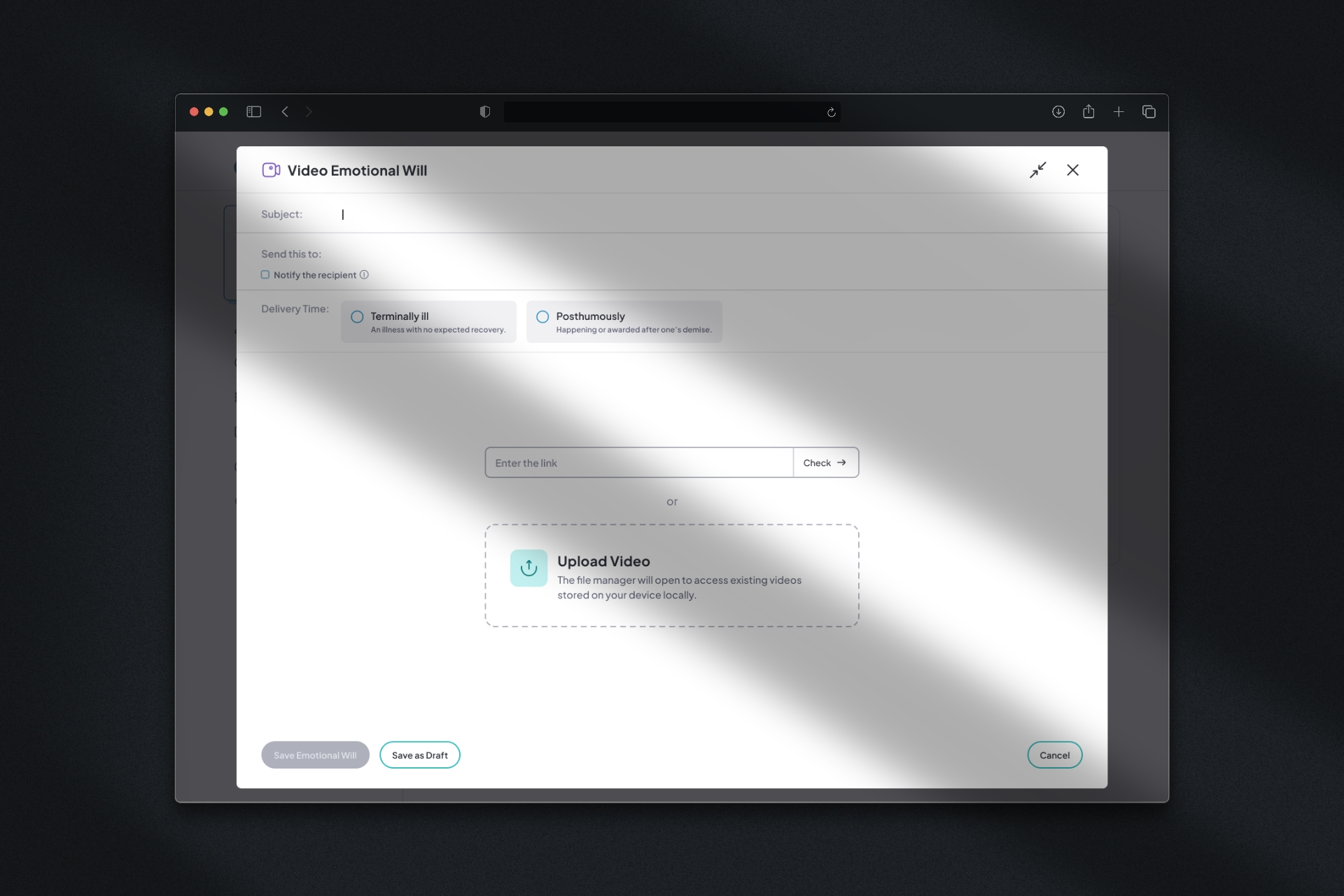
The final solution presents all elements in one comprehensive modal, enabling users to see and adjust all components of their Emotional Will simultaneously — subject, contacts, delivery settings, and content in a single view.
Consistency Across Content Types: Despite the different requirements for Text, Audio, and Video Emotional Wills, consistent structure and interaction patterns were maintained. Users who learn to create one type can easily adapt to creating others, reducing cognitive load.
Screens
.jpeg)
Final Thoughts
The redesign successfully transformed a cluttered, difficult-to-navigate interface into a focused, respectful process that honors both the user's emotional state and their need for intuitive functionality.
Credits
Collaborators
Company
All work showcased in this portfolio is solely for demonstration purposes. Rights, ownership, and intellectual property for these projects belong exclusively to Mitt Arv.